


In today's fast-paced work environment, diagrams have become crucial tools for communicating complex information, and the assistance of AI tools in diagramming has become indispensable. The application of AI tools in diagram creation not only improves efficiency but also changes the way we understand and present data: AI diagramming tools enhance efficiency and accuracy by automating complex design processes, providing convenience even for non-professionals. This article will explore the principles and advantages of AI diagramming tools, as well as how to use EdrawMax to create diagrams.
Part A: Learn About These Things for AI Diagramming
What is diagramming?
Diagramming, or diagram drawing, is a technique for visualizing complex data and concepts. It involves creating graphical representations such as flowcharts, organizational charts, and mind maps to help people understand and communicate information. Diagramming is widely used in education, engineering, business, and technology, among other fields.
Why use AI for diagrams? What are the advantages of AI diagramming?
The emergence of AI diagram tools aims to address the time-consuming and complexity issues of traditional diagramming processes. AI can automatically identify and organize data, generating precise and insightful diagrams, particularly valuable for users dealing with large volumes of information. Additionally, AI can provide personalized design suggestions, enhancing the quality and effectiveness of diagrams.
What is the principle of AI diagramming?
The core of AI diagram tools lies in machine learning algorithms, which can analyze datasets, identify patterns and relationships, and generate diagrams accordingly. These tools typically include natural language processing capabilities, understanding user commands and descriptions to convert them into corresponding graphical elements.
Part B: Make Diagrams with EdrawMax
Overview
EdrawMax is a diagramming software, enabling users to effortlessly craft a diverse range of diagrams, including mind maps, flowcharts, organizational charts, network diagrams, project management diagrams, maps, timing diagrams, UML diagrams, and beyond.
How to Use EdrawMax AI Diagramming Features
Users can activate EdrawMax AI in several ways:
- AI Toolbar: Activate Edraw AI in the toolbar, input commands, and preview the visual representation in real-time.
- Shortcuts/Icons: Double-click the space bar to activate the AI assistant, input comments, and generate text, flowcharts, mind maps, lists, or tables within seconds.
- Right-click: When assistance is needed, right-click symbols to awaken Edraw AI for instant help.
Advantages of EdrawMax AI Diagramming Features
- One-click Editing: Edraw AI provides one-click editing, offering suggestions for diagram styles to enhance visual appeal.
- Preset Scene AI: With the preset scene AI feature, productivity can be optimized. It can polish text, adjust paragraph length and tone, translate, and beautify mind maps.
- OCR Text Extraction: No need to manually input text from images or scanned documents anymore! The OCR feature accurately extracts text with one click, and Edraw AI can easily polish the text and generate diagrams.
Applications of EdrawMax AI Diagramming Features
EdrawMax AI is suitable for various professional fields, including IT engineering, marketing, education, and UI/UX design. For example, IT engineers can easily depict complex workflows and document processes with EdrawMax AI flowcharts, while marketers can analyze market data using EdrawMax AI tools and create insightful infographics.
User Feedback and Reviews
EdrawMax has received favorable reviews from users. On www.g2.com, EdrawMax has a rating of 4.3 stars, with many users appreciating its straightforward user interface and rich template selection. However, some users have pointed out areas for improvement, such as theme customization and OCR image-to-text functionality. On www.trustpilot.com, some users have suggested that its automatic renewal and refund policies could be more user-friendly.
How to Make Diagrams with EdrawMax
Step 1. Download, install, and open EdrawMax software. Choose from various preset diagram types, such as flowcharts, organizational charts, network diagrams, etc. You can also select an existing template to start quickly or click "Blank Drawing" to create a new diagram from scratch.
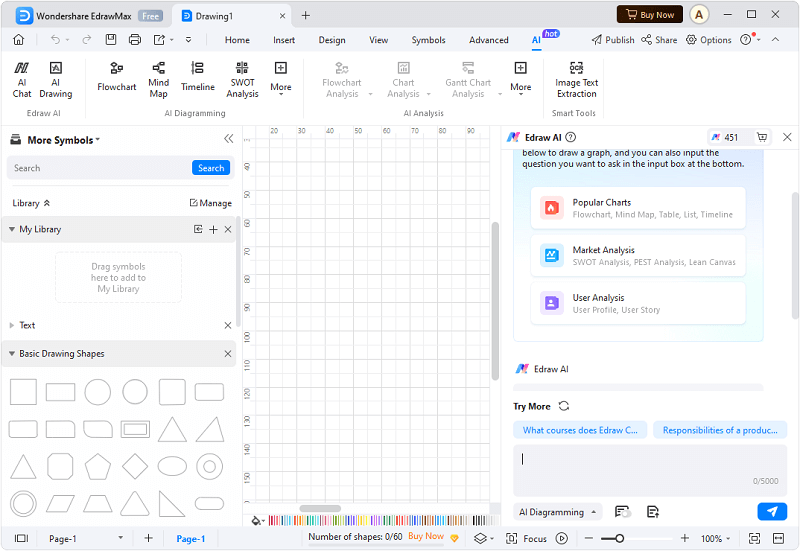
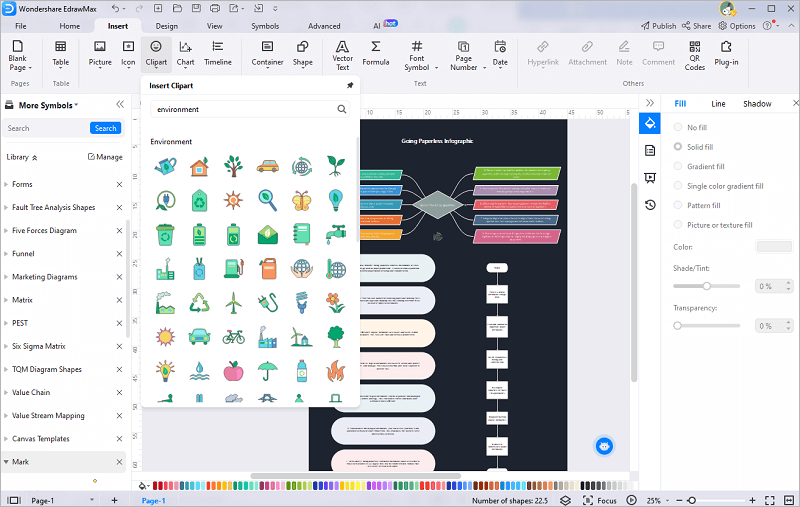
Step 2. Add and edit graphic elements: Drag and drop the required graphic elements onto the canvas and edit them, including resizing, changing colors, and adding text.
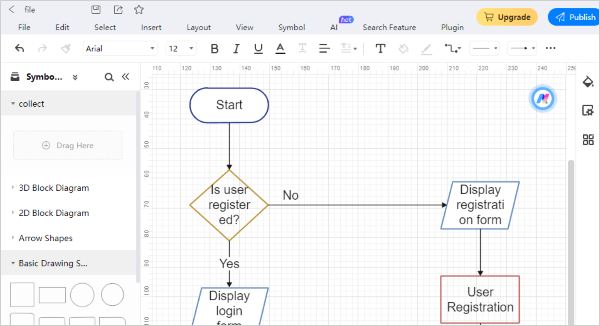
Step 3. Connect graphic elements: Use the "Connector" tool to connect graphic elements to represent their relationships. EdrawMax offers rich design options, allowing you to customize the style and theme of diagrams to meet your needs. Once the diagram is complete, you can save it in various formats such as PDF, images, or Edraw format, and share it with others via social media or email.
Conclusion
With EdrawMax, even users without diagramming experience can easily create professional-level diagrams. EdrawMax's intuitive operation and rich features make it an ideal choice for diagram creation. Whether in education, business, or technology, EdrawMax helps users effectively convey information and present data.